Dev Stack Tracker
Track what your dev stack actually costs. Easy to use and no data saved.
Introduction
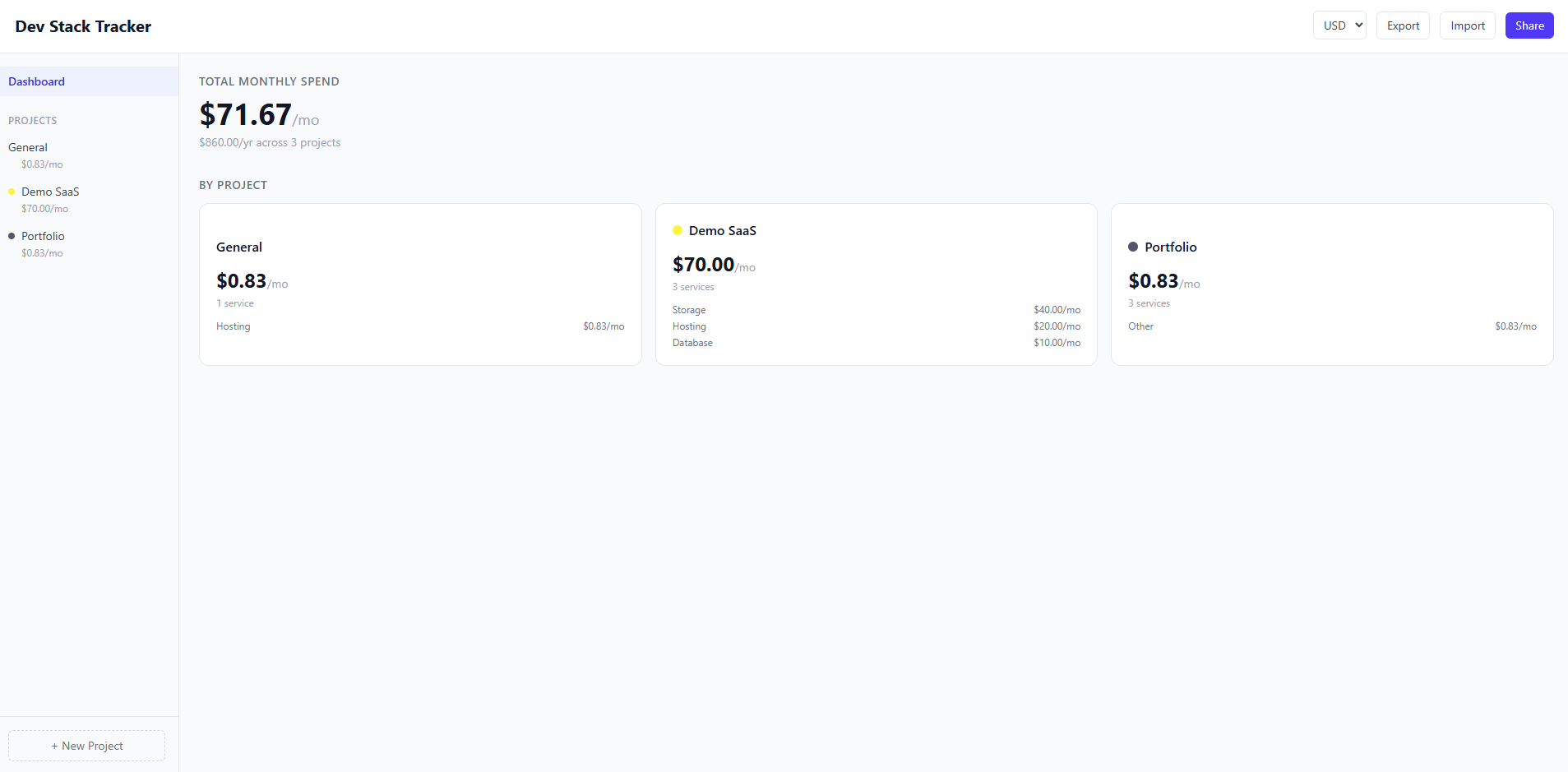
Dev Stack Tracker is a project-scoped service and subscription tracker built as a single-page app with no backend. Every service you track lives inside a project — a "General" bucket exists by default, and you can create as many projects as you need. The dashboard aggregates costs across all projects and breaks them down individually, so you always know what you're paying at a glance. Because there's no authentication and no server, everything persists in localStorage via Zustand. You can export your entire state as a JSON file, import someone else's, or generate a shareable URL that encodes the full state in base64 — anyone who opens the link sees a read-only snapshot they can import into their own tracker.
Sole Developer
Purpose & Goal
I built Dev Stack Tracker because I was losing track of what I was actually paying for across different services. Between personal projects, side projects with friends, and shared infrastructure, costs were scattered across dashboards I rarely checked. A few friends had the same problem, and since some of us were collaborating on projects together, there was natural overlap in the services we were tracking — which made it even harder to keep things straight. I wanted something fast and lightweight that anyone could open and immediately start using, with no sign-up friction and nothing stored on a server. The goal was a tool that felt simple on the surface but was genuinely useful: organize services by project, see your totals, and share your setup with someone in one click.
Technical Spotlight
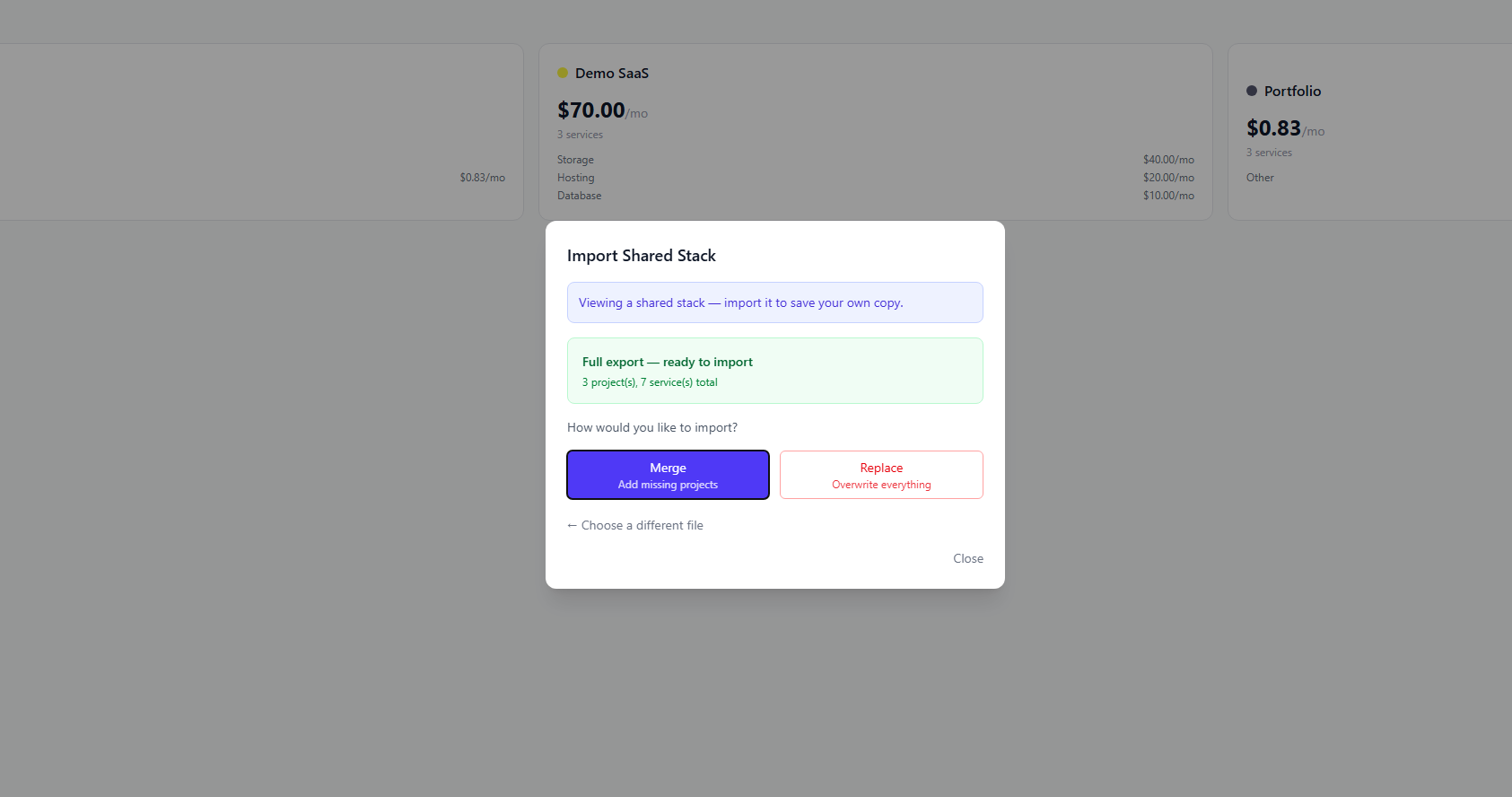
The entire project revolves around state management. Every feature — adding services, editing costs, switching between projects, persisting data across sessions, importing and exporting, and sharing via URL — flows through a single Zustand store wired to localStorage with the persist middleware. That store is the source of truth for everything the app displays, and every user action is a state transition on it. The import/export system serializes the full store to JSON, so you can download your tracker as a file and hand it to someone else, or they can drag a JSON file into the import modal and choose to merge it with their existing data or replace it entirely. The URL sharing feature takes that same idea further: the entire application state gets JSON-serialized, URI-encoded, and base64-encoded into a URL hash. When someone opens that link, the app decodes the hash, hydrates the store from it, and renders a read-only view with a banner offering to import it. The challenge was making all of these paths — local edits, file import, and URL hydration — feed cleanly into the same store without conflicts or edge cases. Zustand's persist middleware handled the localStorage side, but the import and URL flows required careful validation and a clear merge-vs-replace decision point so users never accidentally lose data.
Lessons Learned
This project taught me how to think about convenience from the user's perspective and work backward to the technical decisions. I wanted something fast and lightweight with features that seem simple but are actually useful — a clean dashboard, project organization, seamless import and export. The idea of sharing a link came from pushing that line of thinking further: if someone can export their data, why can't they just send a URL instead of a file? That train of thought also drove the no-auth, no-backend decision. If no data is saved on a server, localStorage is the natural persistence layer, and that led me straight to Zustand and its persist middleware — a tool I hadn't used before but that turned out to be a perfect fit. If I started over, I'd invest more time in the frontend design and polish, but I wouldn't change the core architecture or the technical decisions behind it.